Private In-Browser Vision AI
Background removal, 4x upscaling, and depth estimation executed entirely inside your browser on WebGPU. Your images never leave your machine.
Probing WebGPU Adapter
Querying browser GPU capabilities and hardware limits...
How In-Browser Vision AI Works
Your images are decoded directly in browser RAM and fed to your local GPU shaders. Zero image bytes leave your machine or get sent to any server.
Model weights download once from the HuggingFace CDN and persist in browser Cache Storage. After the first load, the tools work entirely offline.
Transformers.js compiles ONNX runtime graphs into WebGPU shaders. Operations complete in seconds on modern laptop and desktop GPUs.
Static Visual Proof & Output Examples
Real input and output pairs generated entirely in-browser without cloud processing.
Isolates the main subject with soft, continuous alpha matting. The alpha mask is generated on a downscaled pass and composited back onto the original high-resolution pixels to preserve source fidelity.


Restores high-frequency textures and sharp contours. Tiled processing divides large frames into 256-512px segments with 32px overlap ramps to eliminate boundary seams.


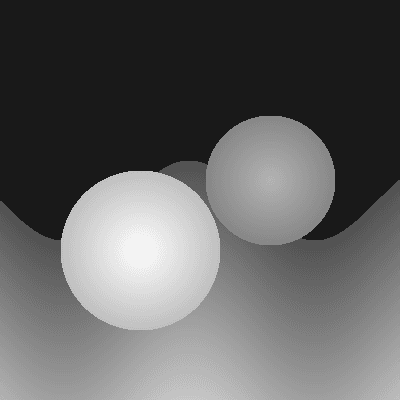
Computes relative distance for every pixel in a single image. Foreground objects appear bright, background regions recede into dark tones, normalized across dynamic range.

Browser & Hardware Compatibility
WebGPU requires an updated browser and graphics adapter supporting Metal, Direct3D 12, or Vulkan.
| Browser | Version | WebGPU Status | Technical Notes |
|---|---|---|---|
| Google Chrome | 113+ (Desktop) | Supported | Enabled by default on Windows, macOS, Linux, and ChromeOS. |
| Microsoft Edge | 113+ (Desktop) | Supported | Enabled by default with Chromium WebGPU acceleration. |
| Apple Safari | 18+ (macOS / iPadOS) | Supported | Native Metal backend on Apple Silicon and modern Intel Macs. |
| Mozilla Firefox | 115+ (Desktop) | Experimental | Requires enabling dom.webgpu.enabled in about:config. |
| Mobile Browsers | iOS Safari / Android Chrome | Experimental | Supported on recent hardware; high-resolution operations may hit OS memory limits. |
CPU Execution (WebAssembly Fallback)
WebGPU is not enabled or available on your device? You can explicitly opt in to execute ONNX models on CPU threads via WebAssembly. Note that CPU execution is substantially slower (~10x-20x latency compared to GPU shaders).
